z_mirror/EditorExtensions
git clone https://git.raiguard.me/z_mirror/EditorExtensions
b0f66db
1.14
Editor Extensions
Extends the Factorio map editor with new tools and utilities, and makes tweaks to aid with sandbox play. Adds a suite of supercharged items and entities to assist with testing setups, and allows for easy and painless switching between the editor and normal play.
Testing tools
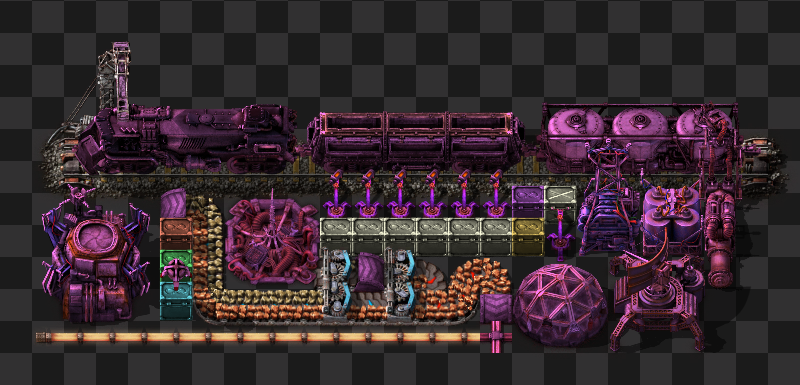
This mod includes a ton of items and tools to aid with testing your setups. Supercharged robots, energy-free inserters, infinite item, fluid, heat, and electricity manipulation, and overpowered modules are just a few of the tools at your disposal.
These tools are normally only available inside of the editor. If you would like to access them while in normal play, use the /cheat command.
Mode switching
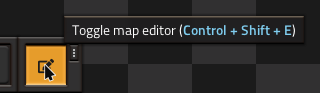
This mod adds a shortcut button to toggle the map editor. This makes it painless to switch to the editor when you need it, and switch back when you want to have a body again. You can also toggle modes with Ctrl + Shift + E.
Attributions
Icons from Font Awesome 5 Free are used under the Creative Commons BY 4.0 license. https://fontawesome.com https://creativecommons.org/licenses/by/4.0/
1## Editor Extensions 2Extends the Factorio map editor with new tools and utilities, and makes tweaks to aid with sandbox play. Adds a suite of supercharged items and entities to assist with testing setups, and allows for easy and painless switching between the editor and normal play. 3 4### Testing tools 5 6 7 8This mod includes a ton of items and tools to aid with testing your setups. Supercharged robots, energy-free inserters, infinite item, fluid, heat, and electricity manipulation, and overpowered modules are just a few of the tools at your disposal. 9 10These tools are normally only available inside of the editor. If you would like to access them while in normal play, use the `/cheat` command. 11 12### Mode switching 13 14 15 16This mod adds a shortcut button to toggle the map editor. This makes it painless to switch to the editor when you need it, and switch back when you want to have a body again. You can also toggle modes with `Ctrl + Shift + E`. 17 18### Attributions 19 20Icons from Font Awesome 5 Free are used under the Creative Commons BY 4.0 license. 21https://fontawesome.com 22https://creativecommons.org/licenses/by/4.0/