z_mirror/kak-one
git clone https://git.raiguard.me/z_mirror/kak-one
e89f34d
trunk
files
| colors/ | |
| screenshots/ | |
| .mailmap | 144 B |
| LICENSE | 1.1 KiB |
| README.md | 3.7 KiB |
kak-one
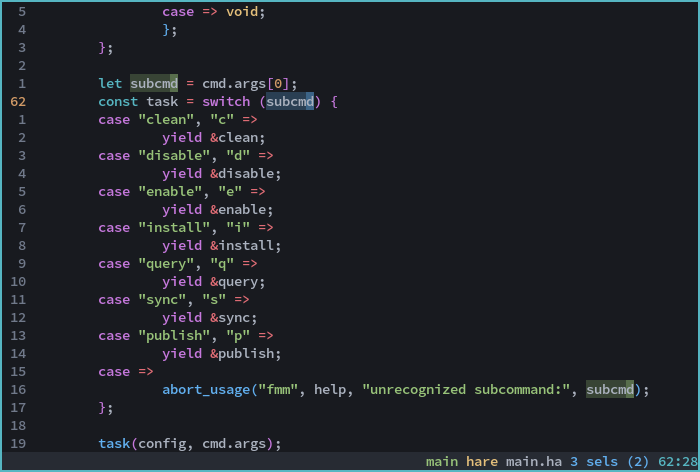
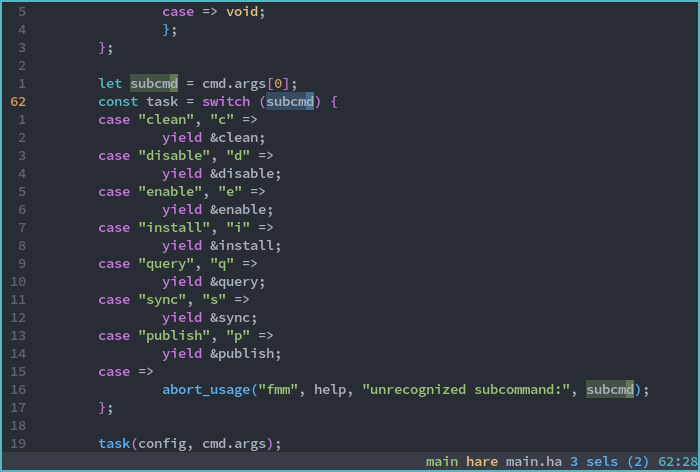
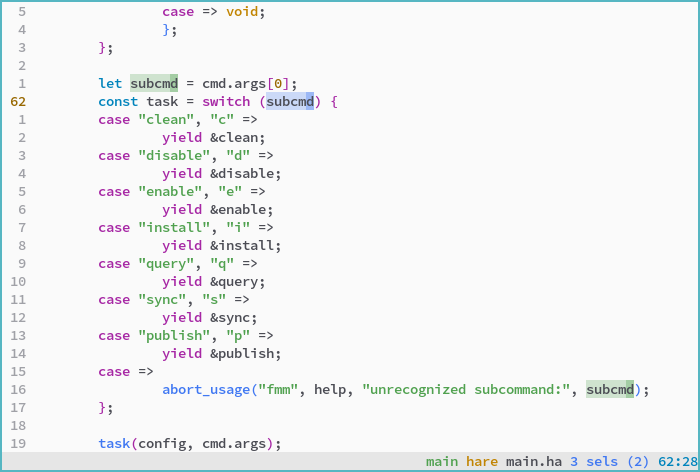
One Light and One Dark colorschemes for Kakoune.
Based on vim-one.
Includes an additional One Darker colorscheme, which has higher contrast than
One Dark and the coloring of variables and operators is swapped.
Installation
Install the files in the colors subdirectory in (kak configuration)/colors,
or use a plugin manager.
Usage
Enable one of the themes with colorscheme <name>:
one-light,one-light-16one-dark,one-dark-16one-darker,one-darker-16
16-color variants
There is a 16-color variant of each theme available that uses your base terminal colors. To achieve the correct theme, you will need to set your terminal colors accordingly.
Color option expansions (explained below) are not available in 16-color variants - use the ANSI color names instead.
one-light-16, one-dark-16, one-darker-16
Foot color configuration for one-darker-16
[ colors ] foreground = abb2bf # whitebackground = 181a1f # blackselection-foreground = 181a1f # blackselection-background = 61afef # blueregular0 = 282c34 # blackregular1 = e06c75 # redregular2 = 98c379 # greenregular3 = e5c07b # yellowregular4 = 61afef # blueregular5 = c678dd # magentaregular6 = 56b6c2 # cyanregular7 = abb2bf # whitebright0 = 70798a # bright blackbright1 = e06c75 # bright redbright2 = 98c379 # bright greenbright3 = d19a66 # bright yellowbright4 = 61afef # bright bluebright5 = c678dd # bright magentabright6 = 56b6c2 # bright cyanbright7 = ffffff # bright whitedim1 = 7c434a # dim reddim2 = 586e4c # dim greendim3 = 7e6d4d # dim yellowdim4 = 3c6487 # dim bluedim5 = 6f497e # dim magentadim6 = 376870 # dim cyandim7 = 70798a # dim white (comment color)
Plugin support
kak-one includes colors for the following plugins:
- kak-lsp
- LSP info boxes are syntax highlighted
- Inlay hints inherit from the
typeface, with a dim modifier - Special
enumandparameterfaces are provided for semantic highlighting (requires configuration inkak-lsp.toml)enumis cyanparameteris italicized and uses thevariablecolor
- LSP diagnostics are colored as:
- Error: red
- Warning: yellow
- Info: blue
- Hint: bright white / dark black (in dark and light themes respectively)
- Inline diagnostics are represented with colored curly underlines - this feature may not work on all terminal emulators
- Other references to the current symbol are highlighted in a slightly lighter background color
- kak-rainbower
- Brackets are colored yellow, magenta, and blue
Using scheme constructs in your own scripts
You can use the scheme colors and other properties in your own scripts by using the following options in expansions:
add-highlighter global/trailing-whitespaces regex "(\h+)$" "1:default,rgba:%opt{darkred}%opt{selectionalpha}"
Colors
-
fg -
bg -
subbg -
lightred -
darkred -
green -
lightorange -
darkorange -
blue -
magenta -
cyan -
comment
Transparencies
cursoralphaselectionalpha
Other
menuselection(cursor color adjusted for thssubbgbackground, since menus do not support transparency)
Feature screenshots
Alpha-blended selections
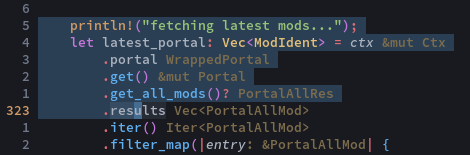
Obvious secondary selections
kak-lsp diagnostics

Curly and/or colored underlines may not display on all terminal emulators.